rideWattly
Neumorphism / Soft UI Generator
Light Mode
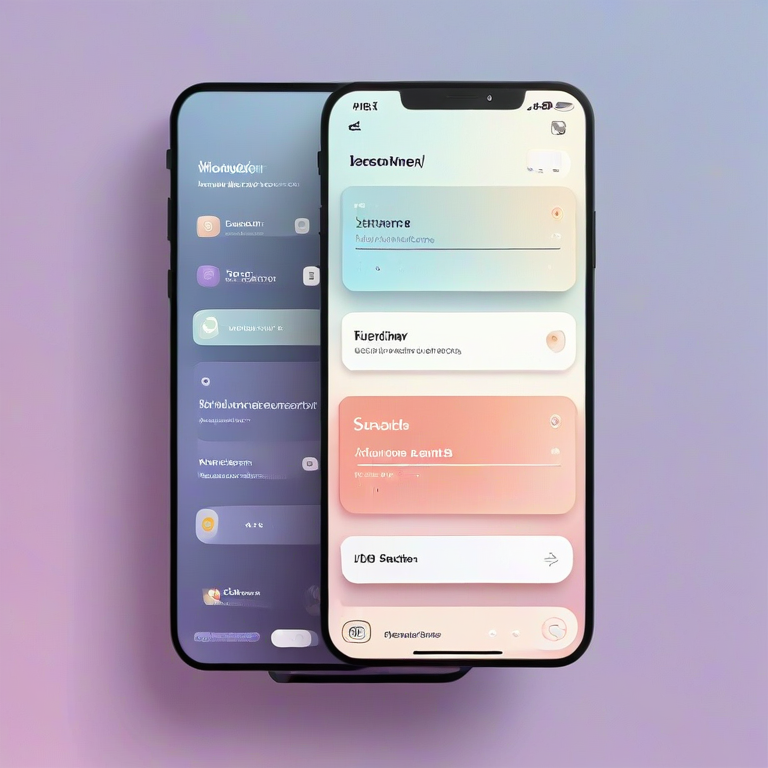
Creating modern interfaces with neumorphism (soft UI) can be visually stunning—but also technically challenging. The Neumorphism / Soft UI Generator helps designers and developers instantly generate clean, customizable UI elements with realistic inner and outer shadows, without writing complex CSS manually.
With this interactive generator, you can adjust shadow distance, blur, spread, opacity, light angle, and more to create perfect soft UI effects in real time. Instantly preview your design, switch between soft, flat, and glossy modes, and generate production-ready CSS for boxes, buttons, and cards.
Whether you're building dashboards, landing pages, or UI components, this tool helps you create modern, elegant, and consistent interfaces—while saving time and avoiding trial-and-error styling.
How to Use
- Choose a base background color and surface (accent) color using the color pickers.
- Adjust the border radius, distance, blur, and spread sliders to shape your element.
- Fine-tune the shadow opacity and light angle to control the depth and direction of the effect.
- Toggle Inset for inner shadows or use Elevation to change the visual depth.
- Select a style mode like Soft, Flat, or Glossy, or apply presets for quick results.
- Preview your design in real time and copy or download the generated CSS code.
Tips / Guide
- Use subtle contrast between background and surface colors for a realistic neumorphism effect.
- Keep shadow opacity balanced—too strong shadows break the soft UI illusion.
- Experiment with Inset mode to create pressed or concave elements.
- Stick to consistent radius and spacing values across components for a clean UI system.
- Test both light and dark presets to ensure your design works in different themes.
Why It Matters
Neumorphism offers a modern, elegant UI style that blends minimalism with depth. However, achieving the right balance of shadows, colors, and spacing manually can be time-consuming and inconsistent. This tool simplifies the process by generating precise, production-ready CSS—helping you create visually appealing and consistent interfaces faster and more efficiently.
Who Should Use This Tool
- UI/UX designers creating modern interfaces and design systems.
- Frontend developers who want fast, ready-to-use neumorphism CSS.
- Web designers building dashboards, apps, or landing pages.
- Product designers experimenting with soft UI and visual depth.
- Anyone looking to create clean, modern UI components without complex styling.
Generate boxes, buttons and layout components with inner/outer shadows — copy or download the generated CSS.
Presets
My Saved Presets
Advanced Tools
CSS Output
Ready-Made Elements
FAQs & Tips
-
It allows you to create neumorphic (soft UI) elements by adjusting shadows, colors, and depth, and instantly generates ready-to-use CSS code.
-
No, the tool is fully visual. You can design elements using sliders and controls, then copy the generated CSS without writing code manually.
-
Outer shadows create a raised (elevated) effect, while inset shadows create a pressed or concave appearance inside the element.
-
Yes, the generated CSS is production-ready and can be used directly in websites, apps, and UI components.
-
Yes, you can switch to dark presets or manually adjust colors to create neumorphism designs for dark interfaces.
-
Yes, you can save your presets locally and reuse them later, or export and import them as JSON files for backup or sharing.
Advanced FAQs & Pro Tips
-
Use subtle contrast between background and surface colors, balanced shadow opacity, and consistent light direction. Avoid extreme values for a natural soft UI look.
-
Stick to monochromatic or low-contrast color palettes. Neumorphism works best when shadows are visible but not overly harsh against the background.
-
Ensure sufficient contrast for text and interactive elements. Combine neumorphism with clear typography and avoid relying solely on shadows for interaction cues.
-
Use outer shadows for elevated elements like cards and buttons, and inset shadows for pressed states, inputs, or toggles to simulate depth interaction.
-
Use the same light angle, shadow values, and border radius across all components. Saving presets helps maintain a consistent design system.
-
Heavy box-shadow usage can impact performance on low-end devices. Keep shadow layers minimal and test performance on different screens.
-
Yes, combining neumorphism with flat design or glassmorphism can create modern hybrid interfaces with better usability and visual balance.
-
Overusing shadows, poor contrast, inconsistent light direction, and using too many colors. Keeping it minimal and consistent is key.
People Also Ask – Neumorphism & Soft UI
-
To create a neumorphism button, use a soft background color and apply two box-shadows: one light and one dark. Adjust blur and distance values to create a subtle raised effect. This generator automates the process and gives you ready-to-use CSS instantly.
-
The best Soft UI box-shadow uses a combination of a darker shadow and a lighter highlight, both with low contrast and smooth blur. The key is to keep colors close to the background for a realistic soft effect.
-
Use relative units like em or rem for spacing and adjust shadow values based on screen size. This tool helps you test different styles and export flexible CSS for responsive layouts.
-
Neumorphism can have accessibility challenges due to low contrast. To improve usability, increase contrast slightly and combine soft UI with clear typography and interactive states.
-
Add the inset keyword to your box-shadow properties. This creates a pressed or inner effect, commonly used for inputs, toggles, and form elements.
-
Soft neutral colors like light gray, pastel tones, or slightly tinted backgrounds work best. Avoid high contrast colors to maintain the smooth Soft UI look.
-
Yes, you can integrate neumorphism styles into frameworks like Bootstrap, Tailwind, or custom CSS systems by applying generated shadow styles to components.
-
Use the export or copy CSS feature in this tool to get clean, production-ready code. You can then paste it directly into your stylesheet or component library.
🔍 Related Searches & SEO Topics
If you're exploring Neumorphism / Soft UI design, you may also be interested in these popular searches and related CSS topics. These ideas can help you expand your design skills and discover new UI techniques.
The Neumorphism / Soft UI Generator helps designers and developers quickly create modern user interfaces using advanced CSS box-shadow techniques. By combining subtle highlights, soft shadows, and customizable parameters, you can design visually appealing UI components that stand out while maintaining a clean and minimal aesthetic.
Whether you're building dashboards, landing pages, mobile apps, or experimental UI concepts, this tool gives you full control over depth, lighting, and surface styling. It eliminates trial-and-error and allows you to generate production-ready CSS in seconds.
Similar Tools You May Like
💨 Shadow Generator
Create advanced box-shadow and text-shadow effects for modern UI designs.
🟦 Border Radius Playground
Design and customize border-radius shapes interactively for smooth UI components.

🌈 Gradient Background Generator
Generate beautiful gradient backgrounds that pair perfectly with soft UI styles.
🪟 Glassmorphism Generator
Create glass-like UI components with blur and transparency effects.
🔘 CSS Button Generator
Build custom buttons with modern styles including soft UI and hover effects.
🌙 Dark Mode Theme Builder
Create complete dark themes that complement neumorphism designs.

🎨 Advanced Color Palette
Generate harmonious color palettes for UI, branding, and design systems.

🛠️ Interactive CSS Enhancer
Enhance and refine your CSS with live editing, effects, and dark mode support.
🔧 Similar Tools
This tool is part of the educational resources published on RideWattly. Results should be used as a reference only and not as professional engineering advice.