rideWattly

Pattern Background Generator

Light Mode
Pattern Background Generator - Create Custom CSS Backgrounds Easily

The Pattern Background Generator is a versatile tool designed for designers, developers, and creative enthusiasts who want to quickly create stunning CSS background patterns. Choose from a variety of patterns such as dots, grids, stripes, hexagons, and waves, customize colors, spacing, and opacity, and instantly preview your design.

With this interactive generator, you can fully control the pattern type, primary and secondary colors, size, spacing, and transparency. The tool produces clean CSS code ready to use in your website, allowing you to enhance visual appeal without manually writing complex code.

Perfect for web projects, UI mockups, backgrounds, and creative experiments, the Pattern Background Generator empowers you to design unique, responsive, and visually engaging backgrounds in just a few clicks.

How to Use

  1. Select a Pattern Type from the dropdown menu (dots, grid, stripes, hexagons, etc.).
  2. Choose your Primary Color and Secondary / Background Color using the color pickers.
  3. Adjust the Size and Spacing sliders to control the pattern scale and distance.
  4. Set Opacity if you want semi-transparent patterns.
  5. Click Update Preview to see the pattern applied in real time.
  6. Once satisfied, click Copy CSS to get the code for your website or project.

Tips / Guide

  • Experiment with different pattern types to find the most visually appealing background for your project.
  • Use contrasting colors for patterns and background to make your design pop.
  • Adjust spacing and size to create subtle textures or bold visual effects.
  • Combine opacity adjustments with layered elements for depth and sophistication.
  • Preview the pattern on different screen sizes to ensure responsiveness.

Why It Matters

A well-designed background pattern can dramatically enhance the visual appeal and professionalism of your website or digital project. Using custom patterns instead of stock textures ensures uniqueness, reinforces branding, and improves user experience. This tool makes it easy to create patterns without writing code manually, saving time and effort.

Who Should Use This Tool

  • Web designers and developers who want quick and easy CSS backgrounds.
  • Content creators and marketers aiming for visually engaging pages.
  • UI/UX designers experimenting with subtle textures and patterns.
  • Students and hobbyists learning CSS and web design techniques.
  • Anyone looking to enhance websites or digital projects with custom, professional backgrounds.

Pattern Controls

24
24
1
Preview
/* Generated CSS will appear here */
        

FAQs & Tips

  • It is an interactive tool that lets you create custom CSS background patterns with full control over pattern type, colors, size, spacing, and opacity.
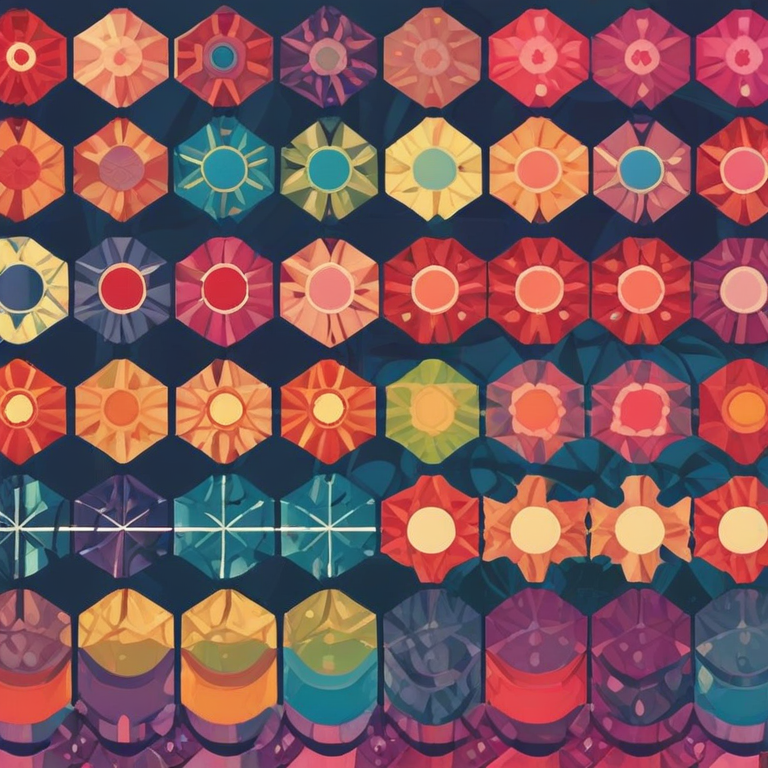
  • Available patterns include dots, grids, vertical and horizontal stripes, diagonal lines, hexagons, triangles/zigzag, concentric circles, diagonal dots, and waves.
  • Yes, the tool generates clean, ready-to-use CSS code for your website or web projects.
  • Adjust the primary and secondary colors, pattern size, spacing, and opacity using the color pickers and sliders for complete control.
  • Yes, by generating multiple patterns and layering them with CSS, you can create unique textures and visual depth.
  • The generated CSS patterns are scalable and work well on different screen sizes, but always test your design for responsiveness.
  • Absolutely — it’s designed for designers, developers, and creatives who want polished background patterns quickly, without coding manually.
  • Yes, every adjustment updates the preview instantly, so you can experiment with colors, spacing, and opacity before copying the CSS.
  • Use contrasting colors for patterns and background to enhance visibility. Subtle tones work well for minimalistic designs, while bold colors make patterns stand out.
  • While the tool does not store patterns online, you can copy the CSS or screenshot the preview to save your design locally.
  • Yes, RideWattly provides it freely for web designers, developers, and anyone looking to create custom backgrounds.
  • Use minimal repeating patterns and simple color combinations. Avoid overly complex or large-scale patterns, and leverage CSS over images to keep file sizes small.

Advanced FAQs & Pro Tips

  • You can layer multiple patterns using CSS by creating multiple background layers or pseudo-elements. Adjust opacity and spacing to create depth and texture.
  • Use relative units like %, em, or rem for size and spacing. Test your design on different screen sizes and adjust pattern scaling to maintain balance.
  • Use color theory principles: complementary, analogous, or triadic color schemes. Ensure sufficient contrast for readability and aesthetic appeal.
  • Yes, CSS animations or keyframes can animate pattern properties like background-position, size, or rotation for dynamic effects.
  • Keep patterns simple, avoid excessive layers, and rely on CSS rather than large image files to reduce load times.
  • Opacity allows layering patterns for subtle textures, blending with backgrounds, or creating soft overlays without overwhelming the content.
  • Yes, adjust pattern settings in the tool and use the live preview to test different designs. Once satisfied, copy the CSS for implementation.
  • Reduce size and spacing, use muted colors or low opacity, and avoid overly complex shapes to create elegant, understated backgrounds.
  • Yes, by carefully adjusting size and spacing, all patterns generated are seamless and can repeat infinitely without visible breaks.
  • Use light, subtle patterns behind text-heavy areas. Ensure sufficient contrast between background and foreground text to maintain clarity.
  • While the tool doesn’t save presets online, you can copy the CSS or screenshot the preview to store different designs for later use.
  • Patterns can create visual hierarchy, separate sections, and reinforce branding. Subtle textures improve perceived depth and user engagement.

Similar Tools You May Like

🔗 Embed This Tool on Your Website

Copy the code below and paste it into your website’s HTML where you want the tool to appear.

🔧 Similar Tools